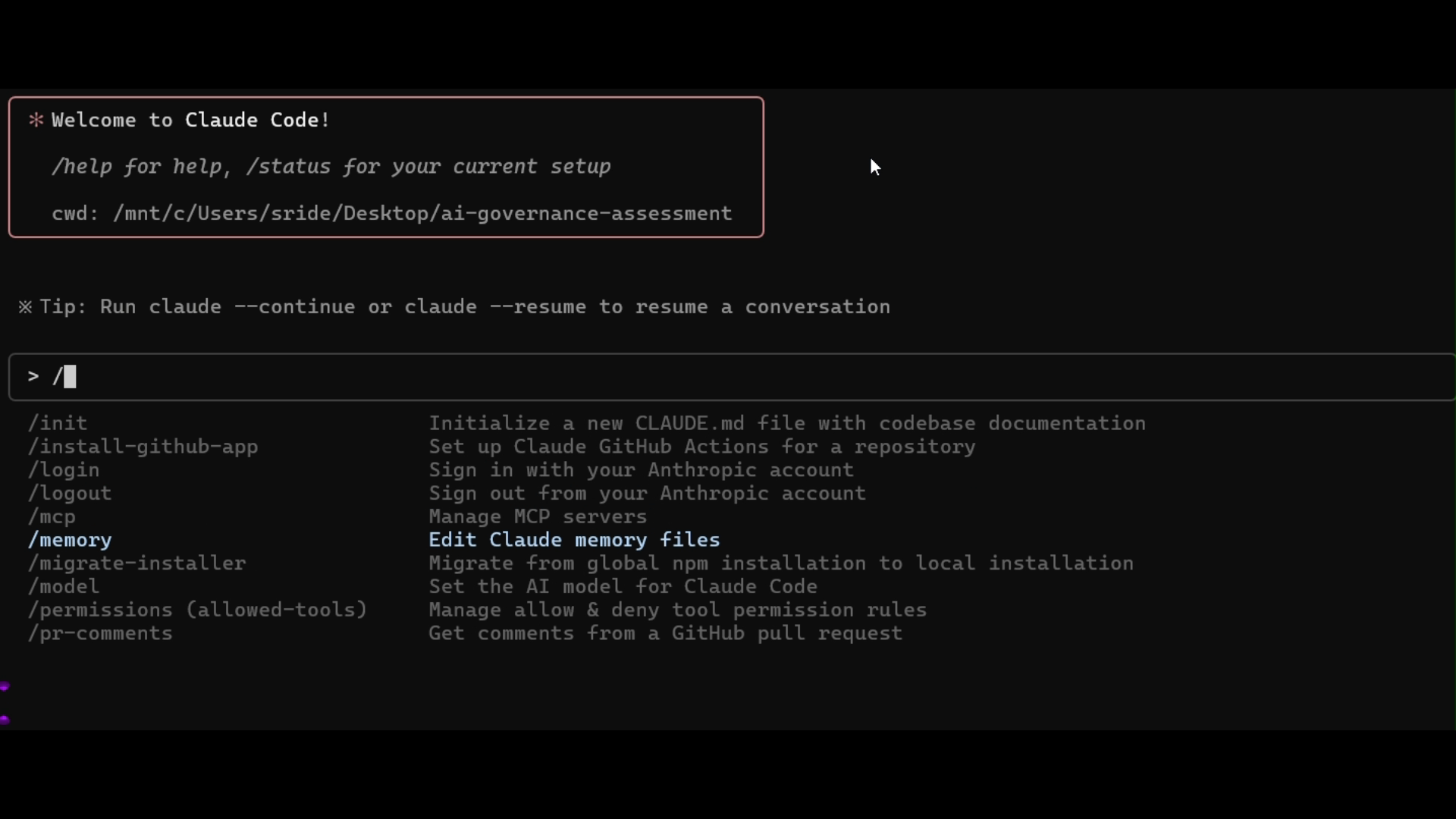
Ralph Wiggum pattern – persistent agent loops
Note: Some developers claim Claude Code supporting Tasks now reduces the need for Ralph loops, while others are still going "all-in-AFK" with it.
What it is.
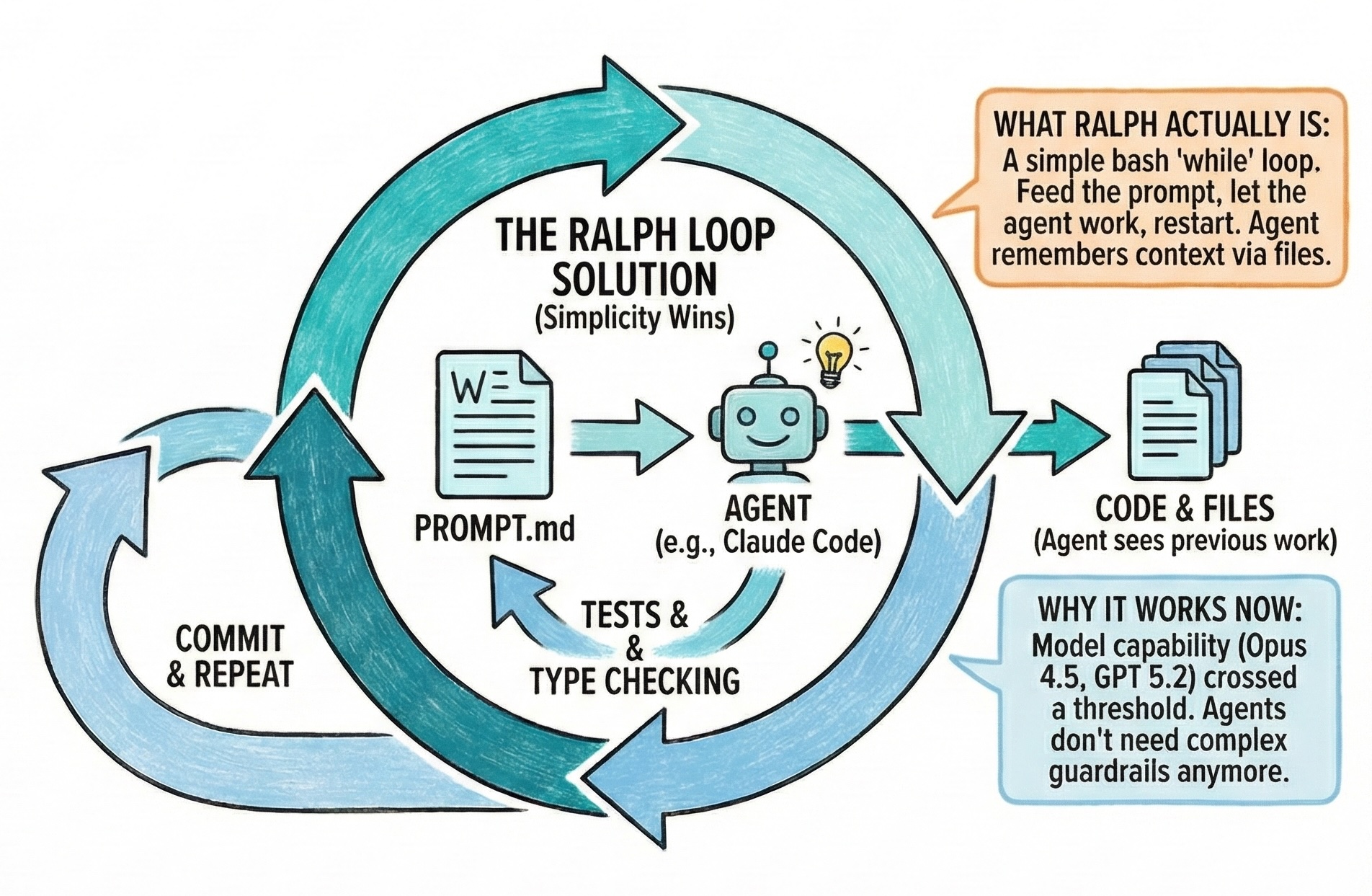
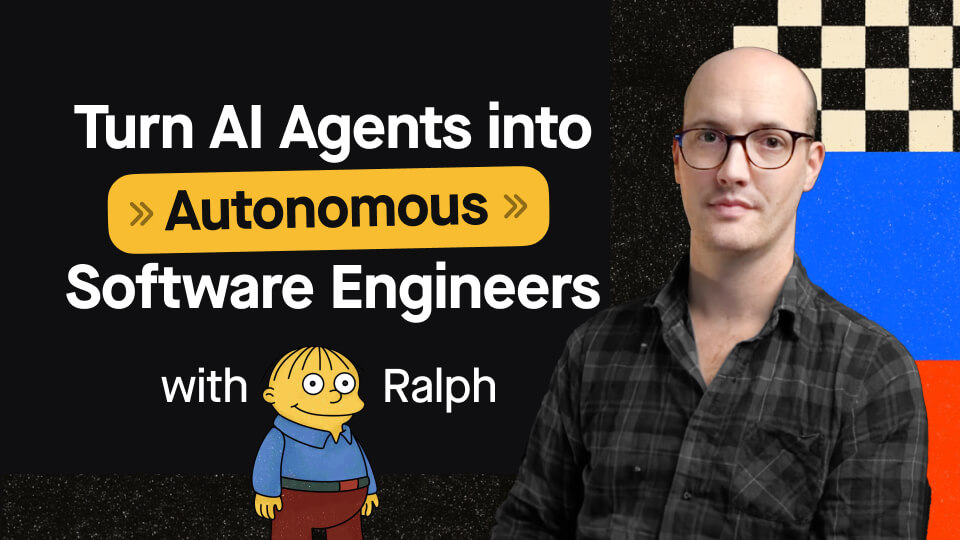
Popularized by Geoffrey Huntley in mid‑2025, the Ralph Wiggum pattern runs an AI coding agent in an autonomous loop until a pre‑defined completion criterion is satisfied. Instead of issuing single‑shot prompts, Ralph loops repeatedly send a project prompt to an AI agent (e.g., Claude Code), intercept the agent's attempt to stop, inspect whether success criteria have been met, and - if not - re‑feed the prompt with updated context. The loop continues until tests pass or a completion tag is detected.
Why it matters.
Ralph loops remove human bottlenecks by allowing AI to work autonomously on long‑running tasks. They improve output quality through iterative refinement and free engineers from constant babysitting. Teams have used Ralph loops to run overnight refactors and to triage large backlogs.
When to use it.
Ralph works best for batch tasks, broad backlogs and refactoring jobs where a clear definition of “done” can be encoded as tests or tags. It is less suitable for creative or safety‑critical work requiring continuous judgment.
Pro‑tips.
- Define objective success criteria. The loop only stops when tests pass or a completion tag appears, so invest time writing robust tests or scripts that signal completion.
- Wrap with guardrails. Limit the maximum number of iterations and enforce token budgets to avoid runaway costs. Use “stop hooks” to intercept agent exit events and check for completion.
- Run in a clean environment. Because the agent rewrites files repeatedly, execute loops in isolated branches or worktrees to preserve your main codebase.
- Monitor logs. Even though the loop is autonomous, review session logs periodically to catch unexpected behavior. Many teams schedule reviews after every few iterations.

Agent Skills: packaging expertise for AI coding agents
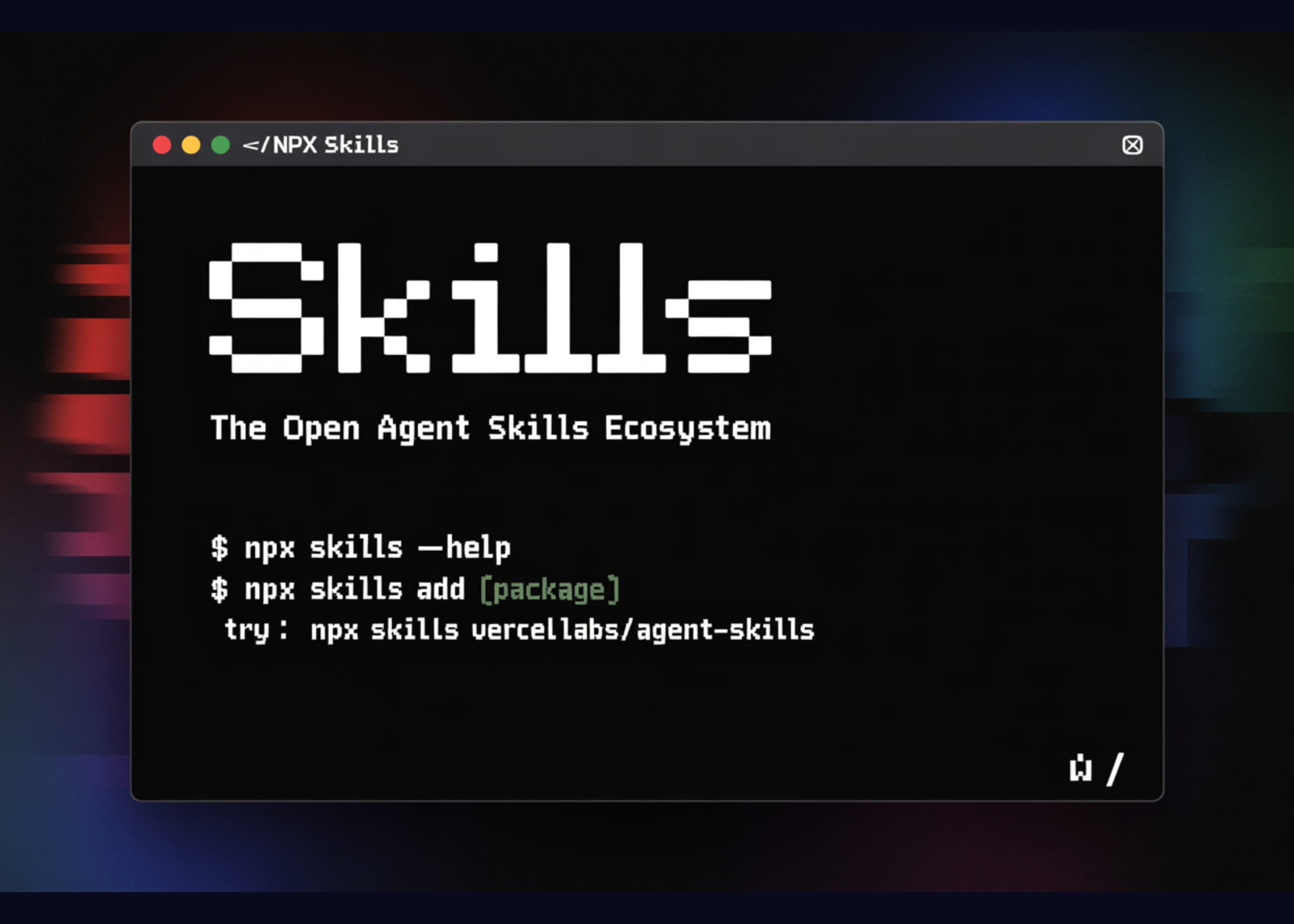
What it is. Agent Skills are portable packages of instructions and helper scripts that extend the capabilities of AI coding agents. Vercel's open specification defines a skill as a folder containing a SKILL.md file (natural‑language instructions), optional scripts/ helpers, and an optional references/ directory. Skills can be installed into Opencode, Codex, Claude Code, Cursor and other agents via a simple CLI (e.g., npx add‑skill vercel‑labs/agent‑skills).
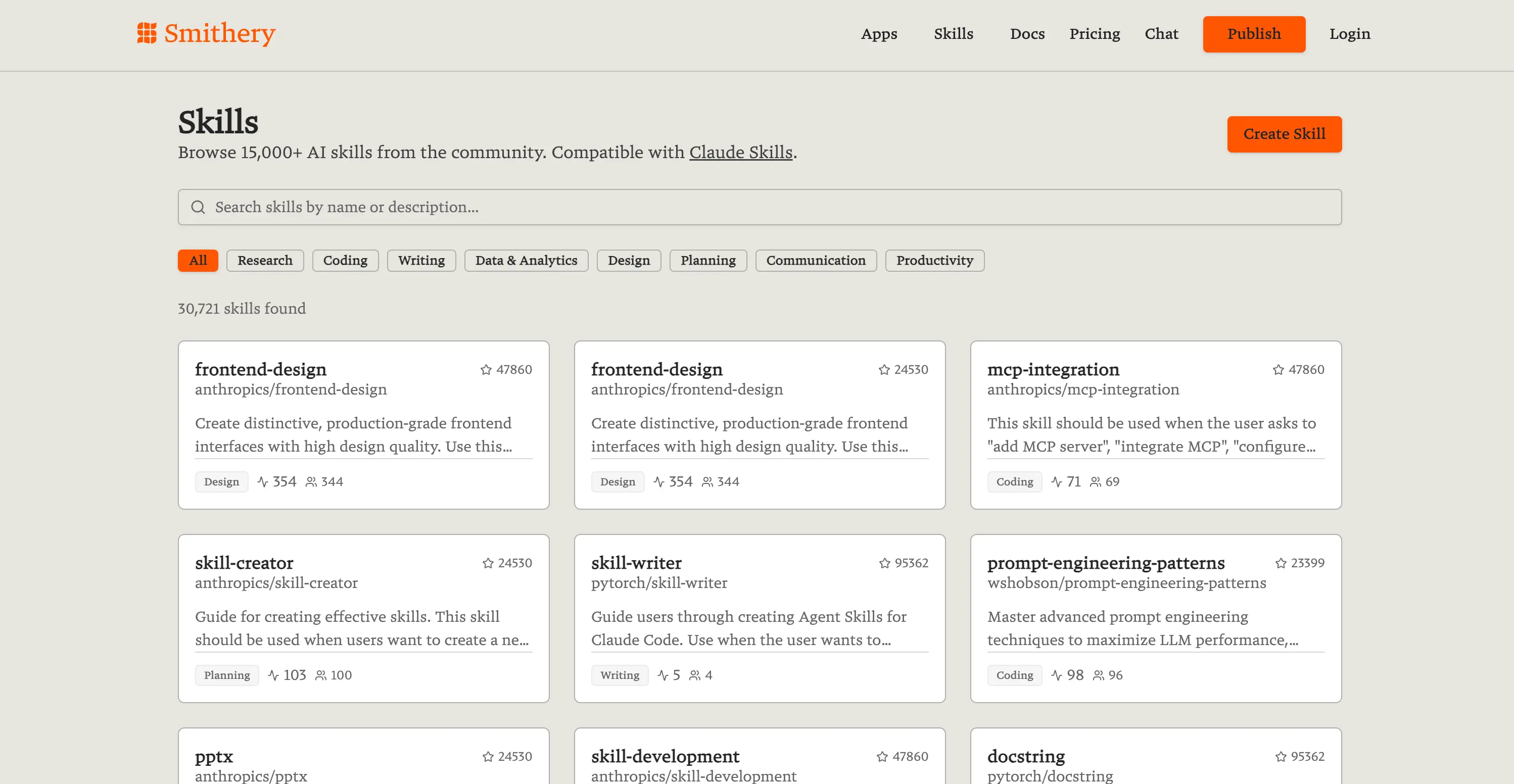
Smithery has a community catalog of Agent Skills worth checking out, including front-end design, Docs, Powerpoint, and PDF editing skills.
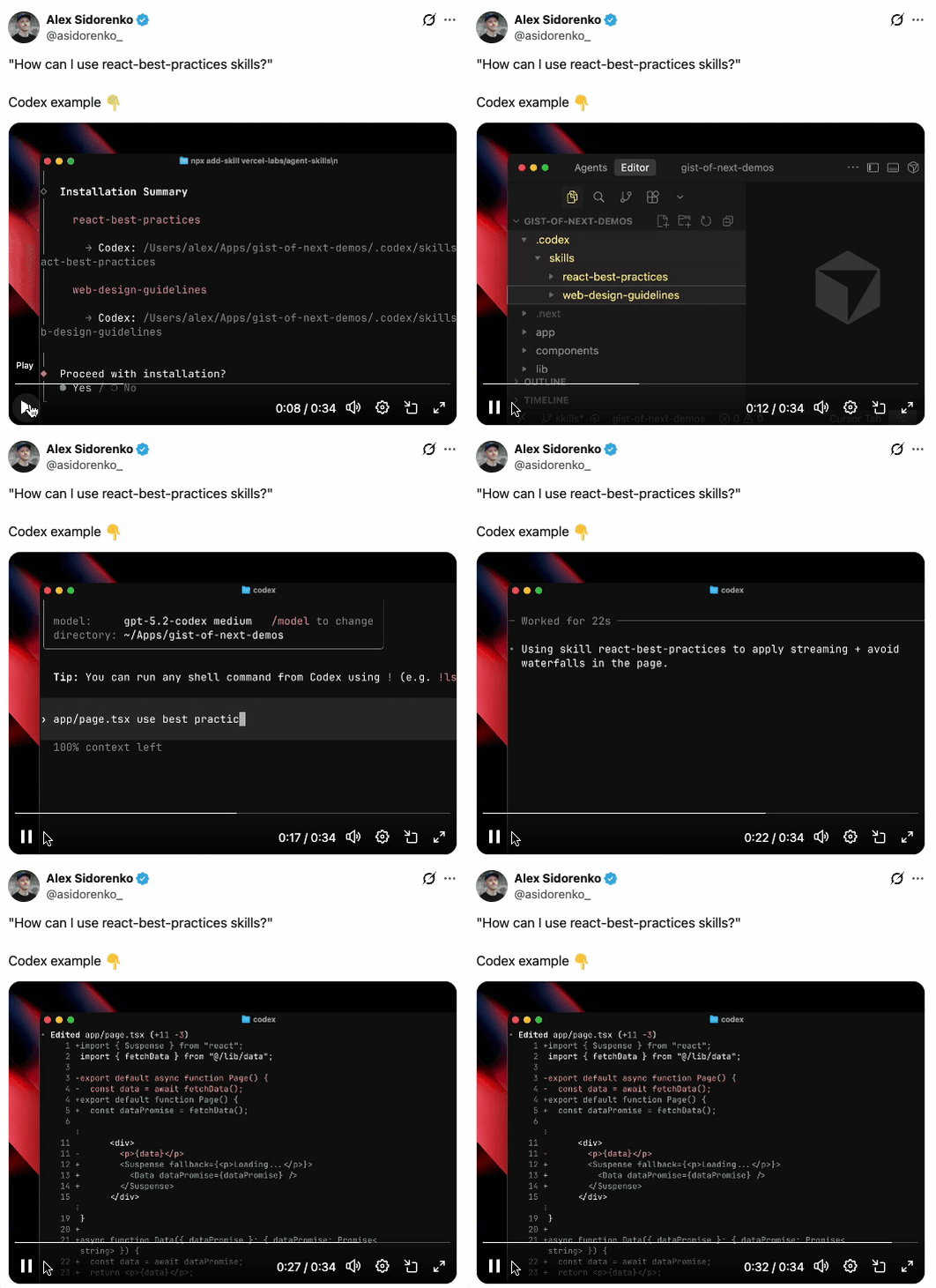
Vercel has a number of Skills they have made available for React developers. The react‑best‑practices skill packages more than a decade of performance‑optimization knowledge. It contains 40+ rules across eight categories - including eliminating async waterfalls, reducing bundle size, server‑side performance, client‑side data fetching, re‑render optimization and JavaScript micro‑optimizations. Each rule includes impact ratings (CRITICAL to LOW) and code examples. Vercel uses this knowledge to generate AGENTS.md, a document optimized for AI agents so they can suggest fixes automatically.
| Skill | Purpose | Notes |
|---|---|---|
| react-best-practices | Encodes React/Next.js performance guidance (40+ rules) | Agents spot waterfalls, large bundles, excessive re‑renders, etc., and propose fixes. |
| web-design-guidelines | UI/UX quality rules covering accessibility, focus management, form behavior, animations, typography, images, navigation, dark mode, touch interaction and i18n | Agents detect missing ARIA attributes, misuse of animations, absent alt text and other issues during reviews. |
Featured community skills
See these skills in action:
Pro‑tips.
- Treat skills like npm packages. They can be installed globally or per‑agent via add‑skill. Use flags (--skill, -a, -g, -y) to control which skill and agent to install.
- Curate your skill set. Only install skills relevant to your stack to minimize noise. For React developers, start with react‑best‑practices and web‑design‑guidelines. For Next.js deployments, add vercel‑deploy‑claimable.
- Keep skills up to date. Skills encode best practices that evole over time. Periodically update (npx skills upgrade) to receive new performance rules.
- Explore community skills. The agent‑skills format is open, so you can create your own skills (e.g., ruby‑on‑rails‑best‑practices) or install community‑published skills from GitHub.
Orchestration & multi‑agent tools
Traditional AI assistants operate in conductor mode, where a developer directs a single agent step‑by‑step. The next stage is orchestrators - tools that manage fleets of autonomous agents working in parallel. Below are leading orchestration tools used by senior engineers in 2026.
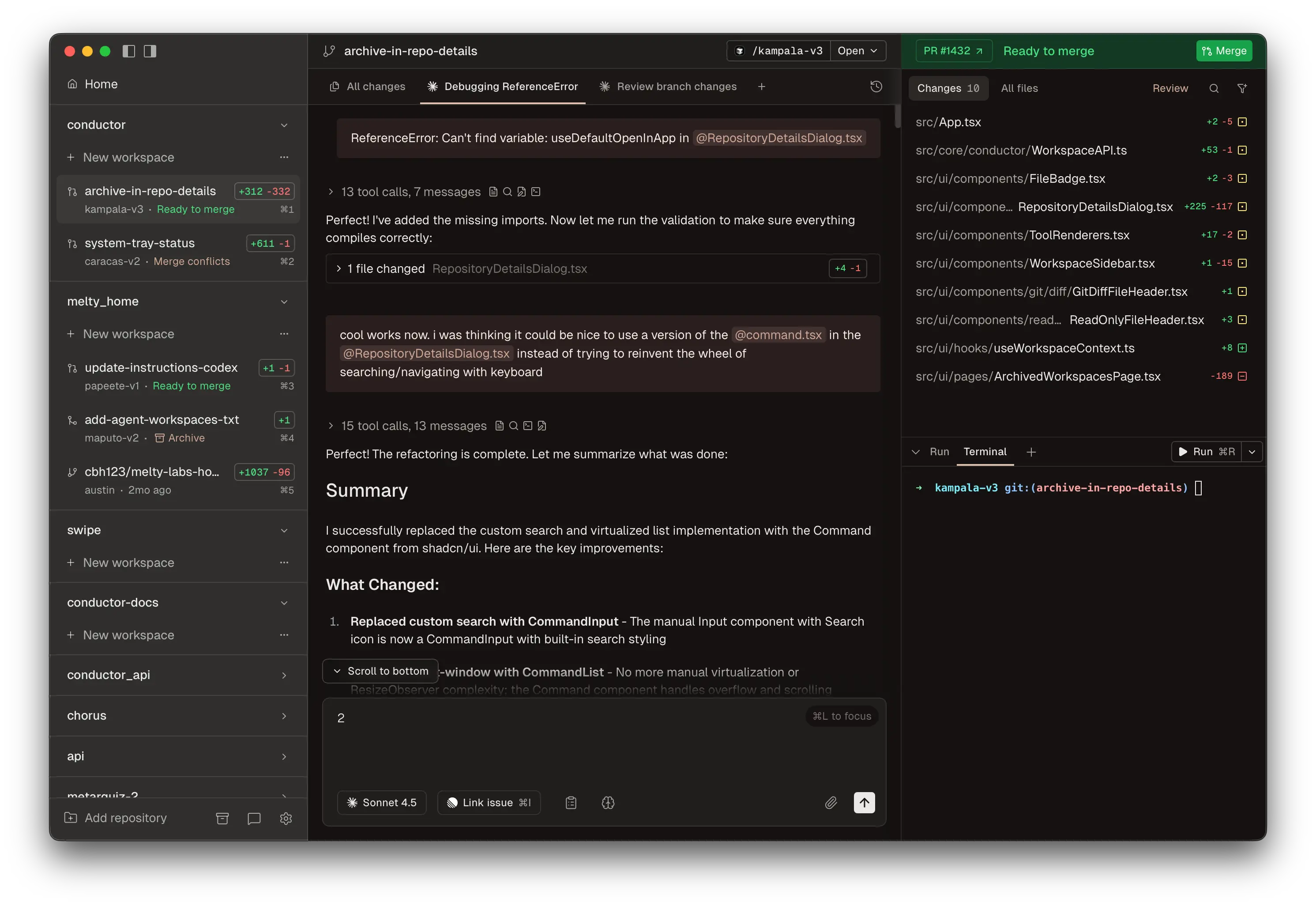
Purpose. Conductor is a macOS application that lets developers run multiple Claude Code and Codex agents in parallel. Each agent operates in its own isolated Git worktree, preventing conflicts and enabling safe experimentation. Users can see what each agent is working on and review or merge their pull requests from a central dashboard.
Key features.
– Parallel agents: spin up many Claude Code or Codex agents, each working on a different feature.
– Isolated workspaces: Conductor clones your repository and uses a new Git worktree for each agent, so agents can't interfere with each other.
– Review & merge UI: The interface shows each agent's branch, status and diff; you can accept or request changes before merging.
– Works with your credentials: Conductor uses your existing Claude Code login or API key.
Pro‑tips.
- Leverage isolated worktrees. Use Conductor's worktrees to run risky migrations or feature branches without polluting your main branch. When satisfied, merge the branch via Conductor.
- Assign tasks by issue. Label GitHub issues with clear specifications and assign each to a Conductor agent. Review branches side‑by‑side to compare different agent implementations.
- Monitor token usage. Running many agents concurrently can be expensive; set iteration limits and monitor API keys.
- Mac‑only for now. Conductor currently runs on macOS. If you're on Windows or Linux, consider Vibe Kanban (below) or GitHub Copilot agents.
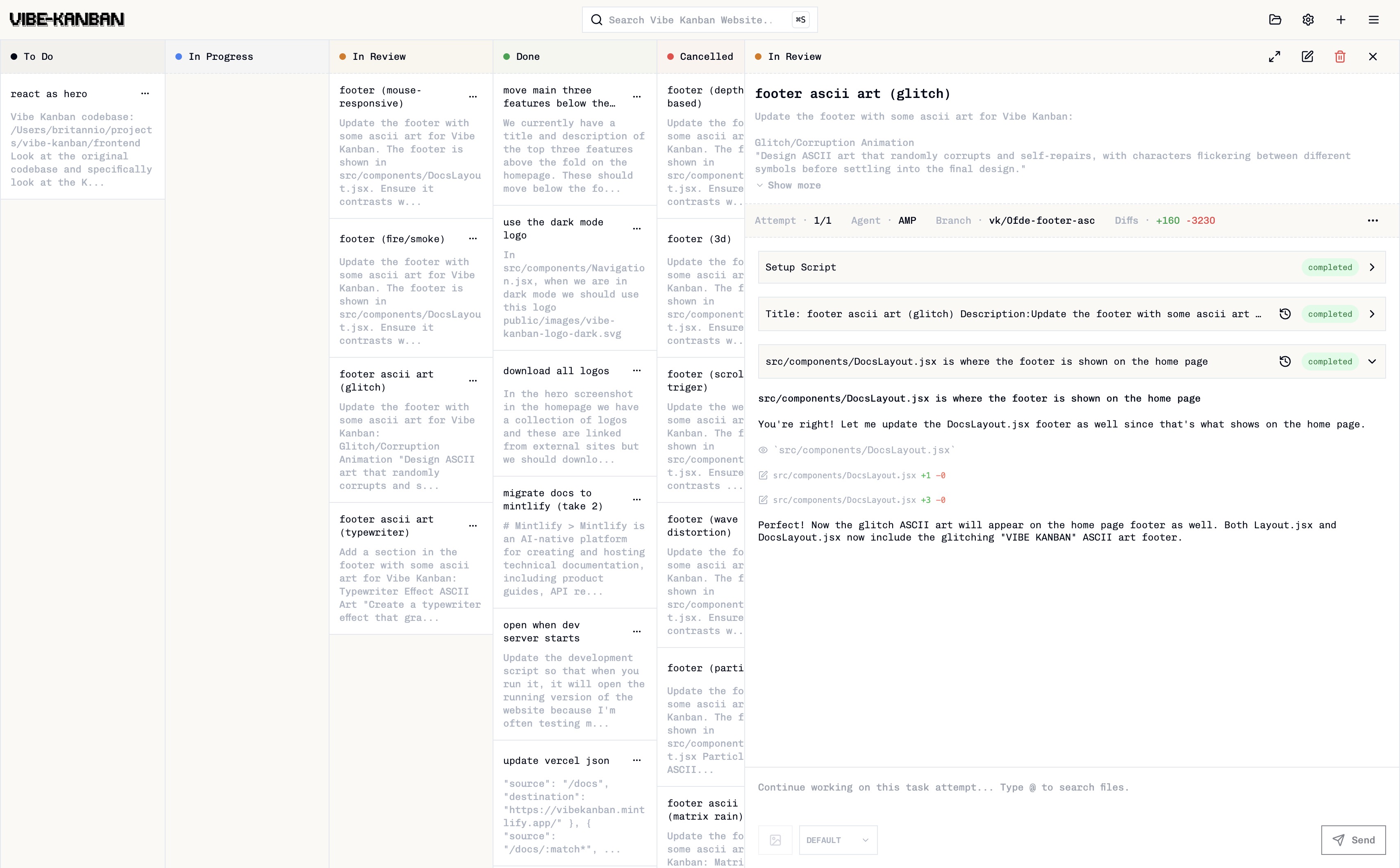
Purpose. Vibe Kanban is a cross‑platform orchestration platform (CLI + web UI) for managing AI coding agents. It lets you plan tasks, run agents in parallel, and perform visual code reviews using a Kanban‑style board. Each task runs in an isolated Git worktree, ensuring agents can't interfere with the main branch. Supported agents include Claude Code, OpenAI Codex, Amp, Cursor Agent CLI, Gemini and others.
Key features.
– Safe execution: tasks run in isolated worktrees to protect your codebase.
– Multi‑agent support: easily switch between different coding agents without altering workflows.
– Visual code review: view line‑by‑line diffs, add comments and send feedback back to the agent.
– CLI & GUI: install via npx vibe‑kanban, then manage tasks through a Kanban‑style board and diff tool (web UI).
Pro‑tips.
- Adopt a Kanban workflow. Create columns like To Do, In Progress, In Review and Done. Assign tasks with detailed prompts; Vibe Kanban will spin up appropriate agents and track progress.
- Use task tags. Tag tasks by component (e.g., frontend, API) or priority to filter the board.
- Integrate with GitHub. Connect Vibe Kanban to GitHub or Azure Repos to fetch issues and push branches automatically.
- Diff review first. Always review the agent's diffs before merging. Vibe Kanban's diff viewer makes it easy to catch mistakes.
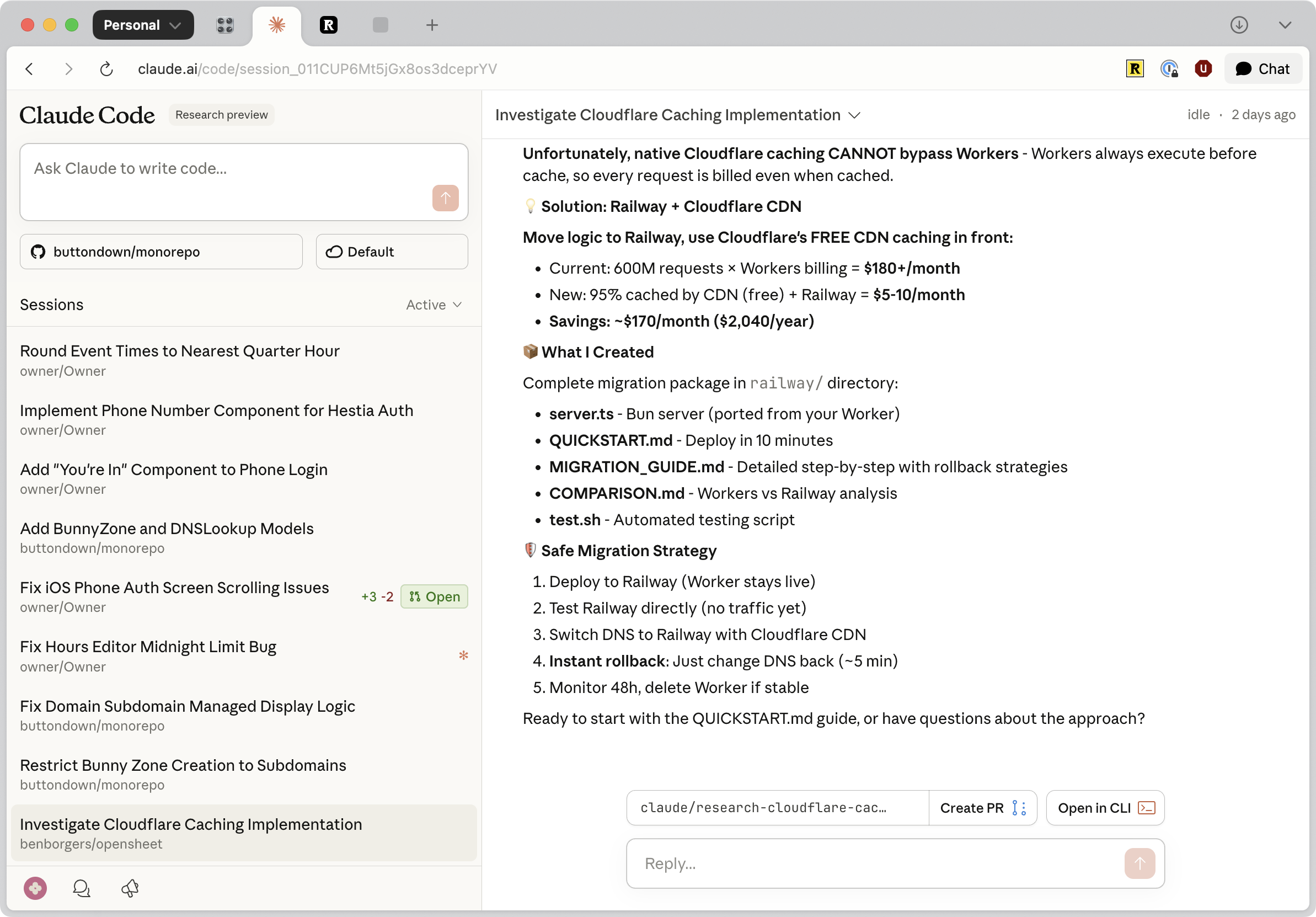
Purpose. Anthropic's Claude Code originally required a CLI. In October 2025, Anthropic released Claude Code Web, making the tool accessible from any browser or mobile app. Users can assign multiple coding tasks directly in a web tab and steer them in real time. The web version lowers the barrier for non‑experts and solo creators.
Key features.
– Browser‑based UI: run Claude Code in a browser tab or on your phone; no local installation is needed.
– Multiple tasks: assign several coding tasks concurrently, tweak instructions while tasks are running and review results when ready.
– Integration with Claude models: works with Claude Sonnet 4.5 and Haiku 4.5, enabling advanced code generation and evaluation.
– Async execution: tasks run autonomously; you can submit new requests while previous ones continue.
Pro‑tips.
- Use on mobile for quick fixes. Claude Code Web is ideal for small features or bug fixes when away from your main computer. Combine with Claude's iOS app for on‑the‑go coding.
- Maintain spec files. Since you type tasks in natural language, maintain a PROMPT.md or specification file to feed into each job. It ensures reproducible loops when using the Ralph pattern.
- Be mindful of privacy. Avoid uploading sensitive code or credentials; Anthropic's privacy terms apply to the web version.
- Monitor tasks concurrently. Use tabs or the built‑in task panel to monitor progress of multiple jobs.
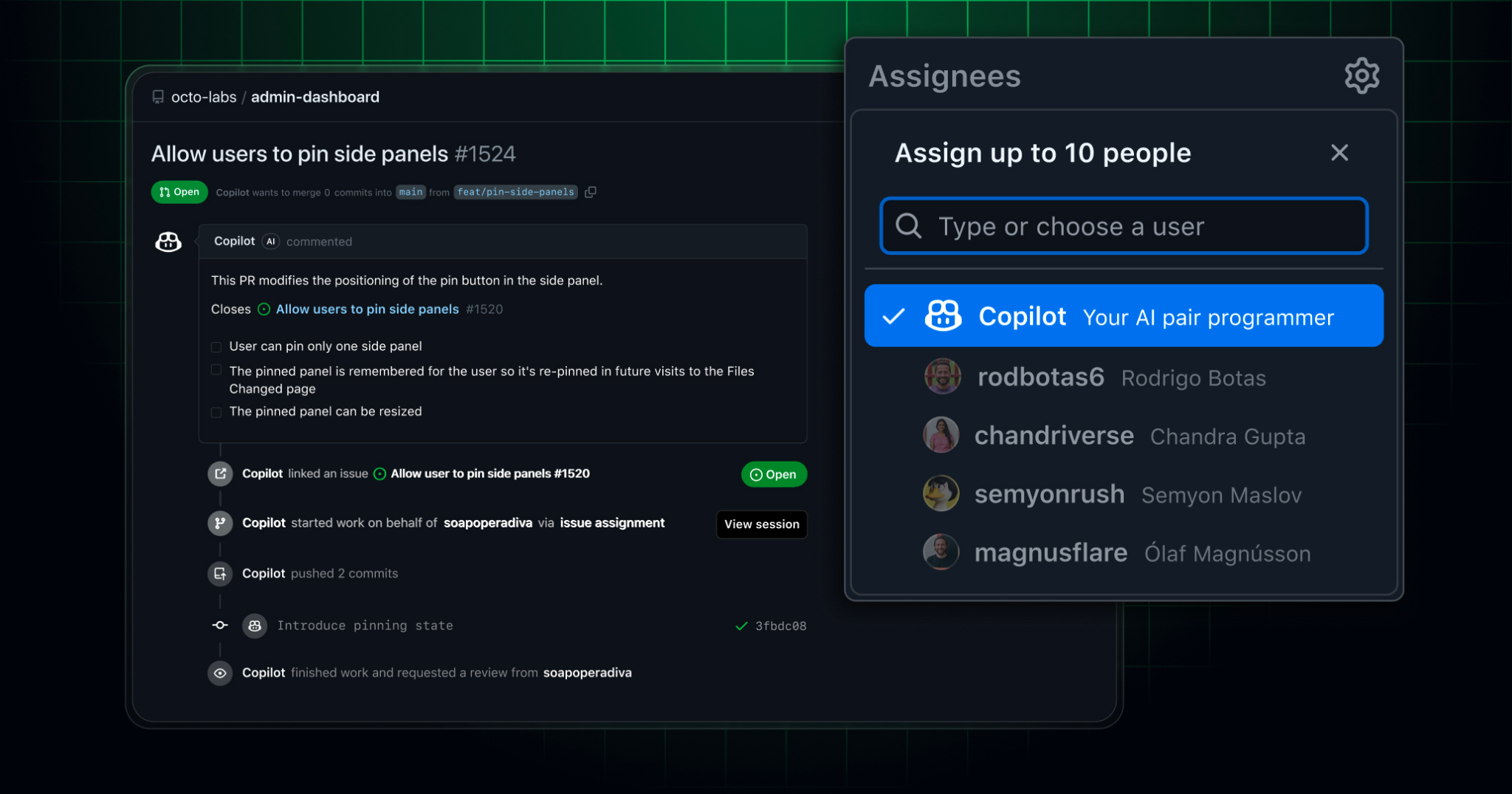
GitHub's Copilot Agent is a take on orchestrating parallel agents built right into GitHub. When you assign a GitHub issue to Copilot or prompt it in Visual Studio Code, the agent spins up a secure development environment using GitHub Actions. It then works in the background, pushes commits to a draft pull request, and requests your review when done.
Key features.
– Issue‑driven workflow: assign one or more GitHub issues to Copilot and it will create branches, run tests and implement changes autonomously.
– Secure environments: the agent uses separate branches and adheres to existing branch protections; pull requests require human approval before CI/CD runs.
– Model Context Protocol (MCP): integrate external data by configuring MCP servers. The agent can also read images attached to issues (e.g., bug screenshots).
– Iterative refinement: leave comments in the draft PR (e.g., “@copilot please update unit tests”) and the agent will iterate on its changes automatically.
– Task suitability: excels at low‑to‑medium complexity tasks in well‑tested codebases - adding features, fixing bugs, extending tests or improving docs.
– Security policies: by default, the agent can only push to its own branches, cannot approve its own PR and requires explicit approval before running GitHub Actions.
Pro‑tips.
- Write clear issues. Use the WRAP mnemonic: What you want done, Requirements (tests/specs), Acceptance criteria and Priority. Detailed issues help the agent form a correct plan.
- Limit complexity. For large features, break work into smaller issues; assign them to multiple Copilot agents to run in parallel. This aligns with the orchestrator model.
- Review early and often. Use the agent's session logs to understand its reasoning and leave comments to steer it.
- Configure MCP for context. Connect your internal knowledge base (e.g., design docs or API specs) via MCP servers so the agent can access relevant information.
- Enable in repositories. The agent is available to Copilot Enterprise and Pro + customers and can be enabled via repo settings.
Beads & Gas Town: "solving" agent coordination
In AI agent coding, Gas Town and Beads are open-source tools developed by Steve Yegge to solve the "memory loss" and coordination problems inherent in running large numbers of AI agents.
Beads: Git-backed memory
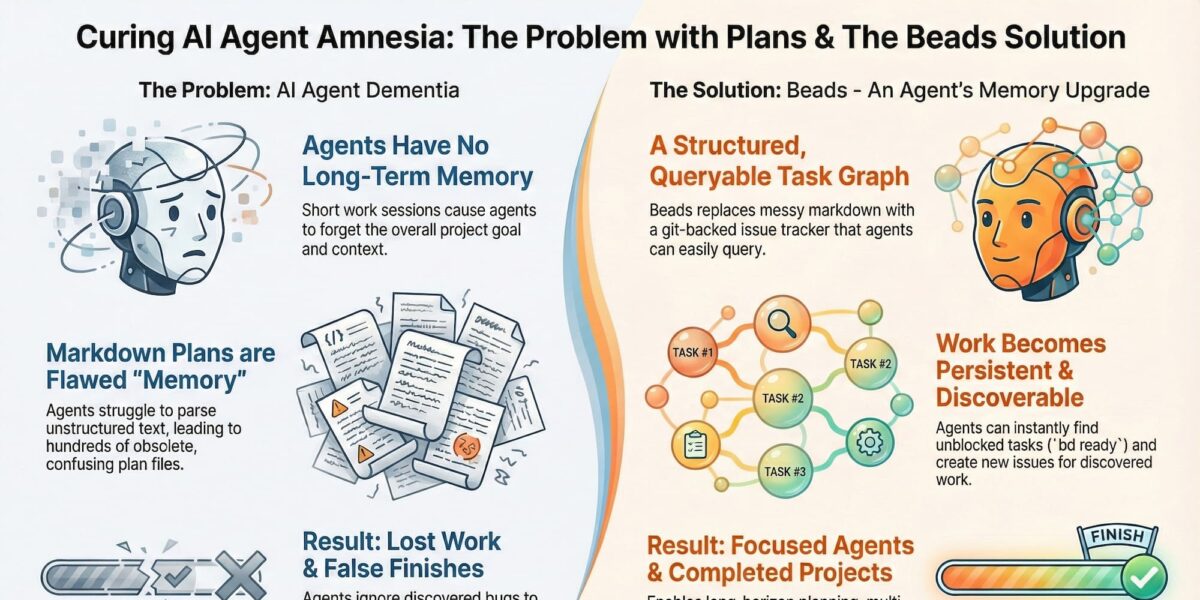
Beads is a lightweight framework that provides AI agents with a durable reasoning trail or "long-term memory".
- Persistent context. It stores task graphs and planning data as versioned JSONL files directly in your Git repository. This allows an agent's memory to survive across branch switches, merges, or session restarts.
- Structured tasks. Instead of flat text "to-do" lists, Beads uses structured issues (called "beads") with dependency links. Agents can query these via a Go binary or a Model Context Protocol (MCP) plugin.
- Forensics. It creates an audit trail, helping agents (and humans) understand why specific decisions were made during complex project workflows.
Influence on Claude Code. In 2026, Claude Code upgraded its "Todos" system to "Tasks" - a primitive for tracking complex, multi-session projects - directly inspired by Beads. Tasks support dependencies and are stored in the file system (~/.claude/tasks), allowing multiple subagents to collaborate on a single task list by sharing a CLAUDE_CODE_TASK_LIST_ID.
Gas Town: multi-agent orchestrator
Gas Town is a high-throughput orchestration engine designed to manage dozens of AI agents (specifically Claude Code instances) working in parallel.
- Factory architecture. It treats AI agents as a coordinated workforce rather than individual assistants. It uses a "Mayor" to distribute work and a "Deacon" to monitor system health.
- Parallelization. It allows agents to work in separate Git worktrees (replicas of the codebase) to perform tasks concurrently without interfering with the primary workspace.
- Throughput over perfection. Gas Town is built for speed and scale, accepting minor redundancies to ensure high output for large-scale migrations or refactors.
Both projects are available on Steve Yegge's GitHub, where Beads serves as the foundational memory layer that Gas Town uses to route workflows and persist data.
Pro tips for Beads
- The "one-task-one-session" rule. To keep performance high and costs low, kill your agent process after it completes a single task. Beads acts as the "working memory" that allows a fresh agent to pick up exactly where the previous one left off.
- Prompt for high-volume issues. Explicitly tell your agent to "file beads for everything" it discovers. This prevents "agent amnesia" where a model identifies a bug but forgets it after a context compaction.
- Use "stealth mode" for local work. Run
bd init --stealthto use Beads locally without committing task files to the main repository - ideal for personal planning in shared projects. - Leverage graph dependencies. Instead of simple to-do lists, use Beads' ability to link tasks. When starting a session, ask the agent to
query ready work; it will automatically find tasks with fulfilled dependencies. - Avoid auto-compaction. If using Claude Code with Beads, turn off auto-compaction. Models perform best in the first half of the context window; Beads allows you to simply restart the session rather than letting the model "summarize" and lose detail.
Pro tips for Gas Town
- "Don’t watch them work". Gas Town is designed for high-throughput, industrial-scale production. Instead of monitoring an agent's real-time output, give them clear "marching orders" and spend your time reading their finished responses.
- Use Convoys for feature tracking. Group related work items into Convoys. This allows you to track multiple completed features on a dashboard and makes it easier to merge large, multi-agent updates simultaneously.
- Liberal use of handoffs. Use
gt handoff(or its manual variant!gt handoff) after every task. This cycles the worker agent onto a "new shift," which clears context while preserving the session state in a tmux window. - Maintain "daily hygiene". Because Gas Town is complex, run
bd doctor --fixperiodically to resolve broken rebases or merge conflicts in the task layer. - Separate planning from execution. Use a tool like OpenSpec to refine a high-level design first. Once the plan is solid, ask the Mayor (Gas Town's lead agent) to translate it into a detailed set of Beads epics for the Polecats (worker agents) to execute.

Clawdbot: the local-first personal agent
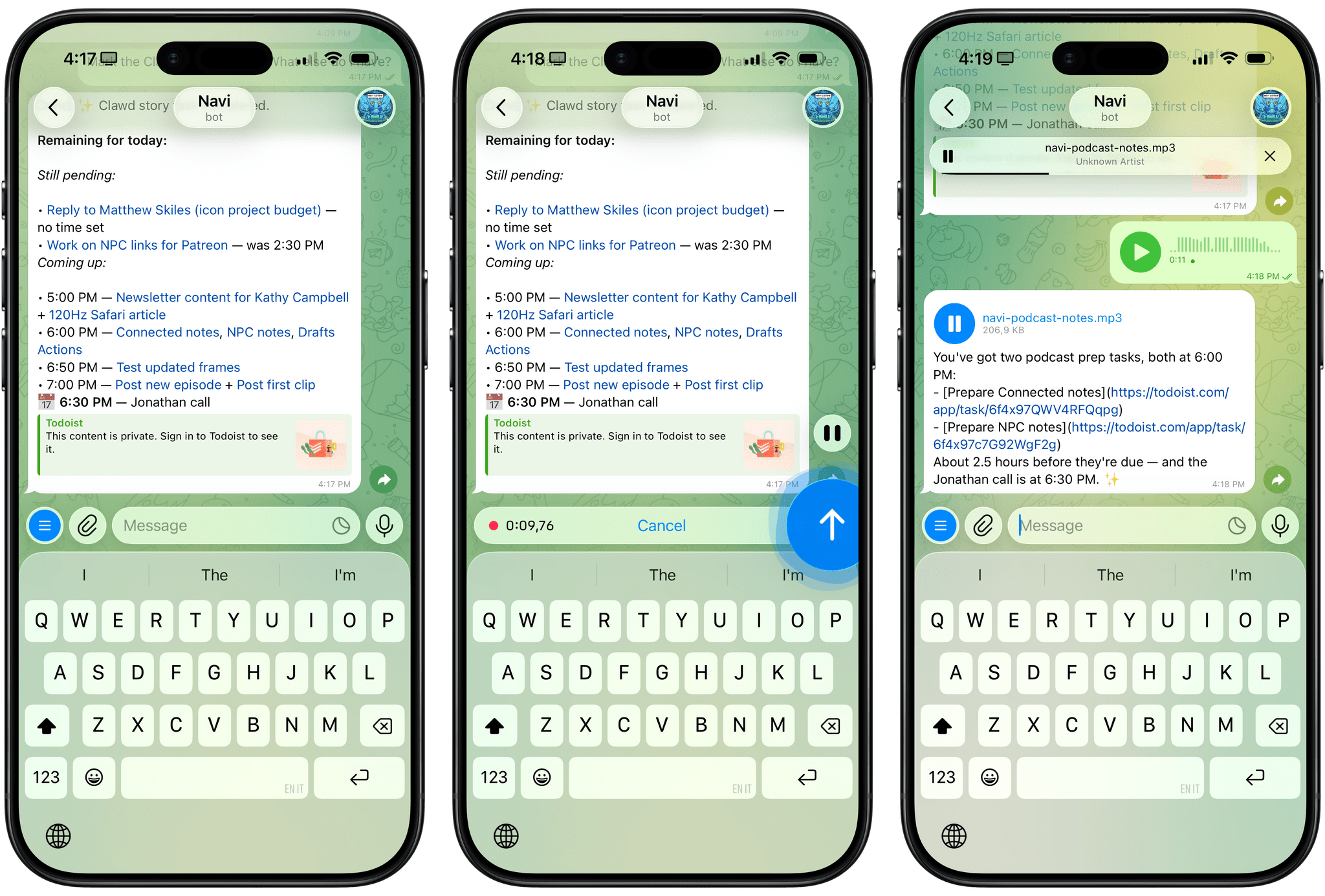
Clawdbot can be overwhelming at first, so I’ll try my best to explain what it is and why it’s so exciting to play around with. At a high level, it is two things:
- An LLM-powered agent that runs on your computer and can use many of the popular models such as Claude, Gemini, etc.
- A “gateway” that lets you talk to the agent using the messaging app of your choice, including iMessage, Telegram, WhatsApp and others.
The second aspect was immediately fascinating to me: instead of having to install yet another app, Clawdbot’s integration with multiple messaging services meant I could use it in an app I was already familiar with. Plus, having an assistant live in Messages or Telegram further contributes to the feeling that you’re sending requests to an actual assistant.
The "agent" part is key
Clawdbot runs entirely on your computer, locally, and keeps its settings, preferences, user memories, and other instructions as literal folders and Markdown documents on your machine. Think of it as the equivalent of Obsidian: while there is a cloud service behind it (for Obsidian, it’s Sync; for Clawdbot, it’s the LLM provider you choose), everything else runs locally, on-device, and can be directly controlled and infinitely tweaked by you, either manually or by asking Clawdbot to change a specific aspect of itself to suit your needs.
A tool for tinkerers
Created by Peter Steinberger, Clawdbot is an open-source, "local-first" AI executive assistant built with TypeScript/Node.js. It connects through messaging apps you already use and can manage your files, browse the web, execute terminal commands, and use your camera or screen.
It supports persistent memory, proactive capabilities (like morning briefings), multi-modal inputs, and tool integrations (Spotify, Notion). As a "nerdy" tool installed via CLI, it allows for deep customization.
Mastering Clawdbot in 2026
To master Clawdbot, focus on security-first configurations, efficient memory management, and collaborative skill building.
1. Security & permissions
- Run as a non-admin: Create a dedicated, standard user account on your OS to run Clawdbot. This limits its reach to only the directories and system settings you explicitly allow.
- Selective access: Avoid granting "Full Disk Access." Instead, provide access only to specific project folders.
- Secure remote access: If you need to access your home bot while away, keep the Gateway on
localhostand use SSH tunneling.
2. Workflow optimization
- The "Clear" habit: Frequently use the
/clearcommand to avoid "compaction calls" where the model attempts to summarize old, irrelevant context. - Iterative skill building: Perform the task manually with the bot first, provide feedback until it’s perfect, then command it to: "Turn our entire conversation into a new Skill called [Name]".
- Dedicated messaging accounts: Use a dedicated phone number and a standalone account for platforms like iMessage or WhatsApp.
3. Memory & performance
- Project-specific context: Use a
CLAUDE.mdorIDENTITY.mdfile in your project root to store persistent "memories". - Canvas maintenance: If the "Live Canvas" feature becomes sluggish, clear the cache manually to reset the visual workspace.
Sub-agents: modular AI teams
We are seeing a shift from monolithic AI assistants to modular, collaborative systems. Sub-agents are specialized AI instances that handle specific tasks within a larger workflow. Each operates in its own isolated context window with custom prompts, tools and permissions. A primary orchestrator delegates work to these sub-agents, which execute independently and return results.
Why use them?
As projects scale, a single AI gets overwhelmed by context pollution. Sub-agents solve this by breaking complex challenges into manageable pieces.
- Context management. By isolating subtasks, you keep the main conversation clean and focused.
- Specialization. Fine-tune a sub-agent for security reviews or unit testing without diluting the main agent's focus.
- Security. Restrict tool access for specific agents (e.g. read-only for code reviewers).
- Parallelization. Run multiple sub-agents at once to speed up development.
Tools supporting sub-agents
Claude Code allows you to spin up sub-agents via YAML, the /agents command, or simply by asking. Cursor uses subagents to execute tasks in parallel (generating images, asking clarifying questions) and leverages fast models like GPT-5.2 Codex for context gathering before handing off to smarter models. Antigravity works with Gemini 3.0 Flash for rapid, browser-based website rebuilding.
Pro-tips
- Define clear roles. Craft precise descriptions so the orchestrator knows when to delegate.
- Limit tools. Assign only necessary tools to each sub-agent for better security and focus.
- Start simple. Begin with explicit sub-agents for predictable workflows before moving to dynamic ones.